Where is 09:00? Make the time zone visible in n8n schedules
The same instant looks different in Istanbul and New York, and some local times occur twice in autumn. Separate the workflow’s zone, execution instant and display format before judging a schedule.
Checking local voices…
In brief
The same instant looks different in Istanbul and New York, and some local times occur twice in autumn. Separate the workflow’s zone, execution instant and display format before judging a schedule.
On this page
“Prepare the summary at nine every morning” sounds clear to a person. An automation still needs to know which region’s nine, what recurrence means and which event proves that execution happened as intended. This article offers a small framework for thinking about n8n scheduling. The experiment connects to no workflow; it demonstrates how fixed instants appear in different time zones.
Separate an instant from a wall-clock reading
One instant on a timeline can be expressed as different local times. Formatting a UTC-marked instant for Istanbul and New York changes the display, not the underlying event. “09:00 every day,” by contrast, describes a recurring intention on a local calendar rather than one particular instant. Treating both needs as the same field can introduce ambiguity before the workflow starts.
First describe the type of job. Is it a one-time delivery, a weekday report or the display of a timestamp received from another system? Then identify the zone information required. Localizing a clock in the interface does not prove that a background trigger follows the same zone. Inspect the visible representation and the executing rule as separate pieces of behavior.
Find the zone the workflow actually uses
n8n’s Schedule Trigger documentation says that a configured workflow time zone takes precedence; otherwise the instance time zone is used. Looking only at the computer clock is therefore insufficient. Inspect both settings and record which one determines your expected behavior. For a self-hosted environment, the relevant environment-variable configuration may be part of that review as well.
Changing an instance-wide setting has a different scope from setting one workflow’s zone. Identify which workflows may be affected before making the change. The documentation also describes publishing the scheduled workflow: changing a value in the editor is not, by itself, proof that scheduled execution has started. Connect each configuration step to the observed workflow state and an execution record.
Experiment: the same instant in different time zones
A safe simulation. No real requests, messages or payments; choices stay on this page.
UTC: 2026-01-15T09:00:00Z
Your selected settings and server-recomputed result download with the article. Your choices are not saved to the database.
A named zone is not a fixed UTC offset
IANA names such as Europe/Istanbul and America/New_York convey different information from the UTC offset at a particular instant. In these examples Istanbul displays three hours ahead, while New York differs between winter and summer. Do not turn a few examples into a permanent offset table for every country. The date and the zone rules belong in the same interpretation.
The browser display uses Intl.DateTimeFormat. It formats an instant for the requested zone; it is not itself a calendar trigger. The environment’s time-zone data also matters in real applications. A correct display on one client is not comprehensive verification of every server version or runtime condition. Keep the demonstrated behavior separate from the broader scheduling system you intend to deploy.
Give the repeated hour its own test
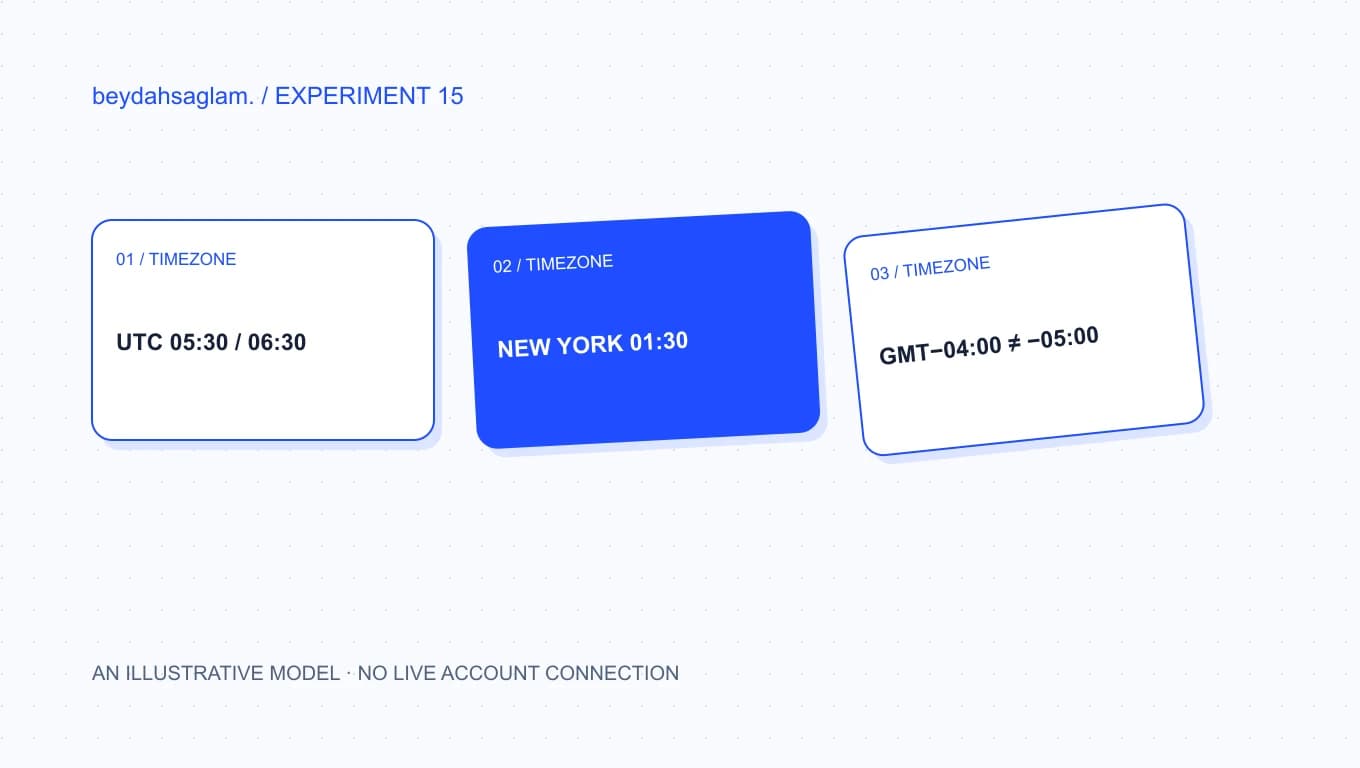
The autumn clock change is a useful boundary case. Select the experiment’s two UTC instants for New York on 1 November 2026. Both display local 01:30, but one carries GMT-04:00 and the other GMT-05:00. A record containing only hours and minutes cannot distinguish those events. A complete instant and the zone context provide information that the local clock alone lacks.
This does not establish how a real scheduler resolves an ambiguous local time. Learn the product’s rule from its documentation and a controlled test. A local time skipped during a spring transition is another boundary case. This experiment does not calculate that case. Explaining its present scope is more useful than extending its result into behavior that has not been implemented or observed.
Connect expectations to a real execution record
For a test, keep the intended local time, zone and corresponding instant in one note. Then compare the actual start recorded by the workflow. The arrival time of a notification is not necessarily the trigger time: queueing, processing and delivery can intervene. State which event you are evaluating when describing something as on time. That makes a later discrepancy easier to investigate.
The PDF records the chosen fixed instant, zone and formatted display. Place it beside the real execution evidence rather than using it as a substitute. A first review may cover only one workflow and one expected run. Later, expand deliberately to clock-change boundaries, runtime differences and recurrence rules. This turns the time zone from a hidden assumption into a decision that can be inspected and tested.
Sources
Frequently asked questions
Which time zone does n8n Schedule Trigger use?
According to n8n’s documentation, it uses the workflow time zone when configured and otherwise the instance time zone. Check both in your own environment. Your computer’s clock or browser language alone does not establish the zone used by the actual trigger.
Does storing UTC solve everything?
An explicit instant is useful, but a recurring intention such as “09:00 every day” may also require a local clock rule and a named zone. Distinguish an execution instant from a calendar rule. Choose the expected behavior before assuming that one storage format resolves every scheduling question.
How can 01:30 refer to two different instants?
During an autumn transition, clocks move back in some regions. The experiment uses two fixed UTC instants on 1 November 2026 that both display as 01:30 in New York with different offsets. This illustrates those examples; it does not predict how every scheduling system handles ambiguity.
Does the experiment run my n8n workflow?
No. It formats fixed instants in named IANA zones using the browser’s Intl.DateTimeFormat implementation. It connects to no account, generates no cron rule and does not verify a real trigger. The PDF can accompany an actual execution record as an explanatory note.
What should I check first?
Write the intended local time and IANA zone, then compare the workflow and instance settings. Choose a near-future test in a controlled environment and observe execution. Express the expected instant and the recorded instant in a comparable format before deciding whether the result matches.